Features · Writing Practice
Arabic writing practice
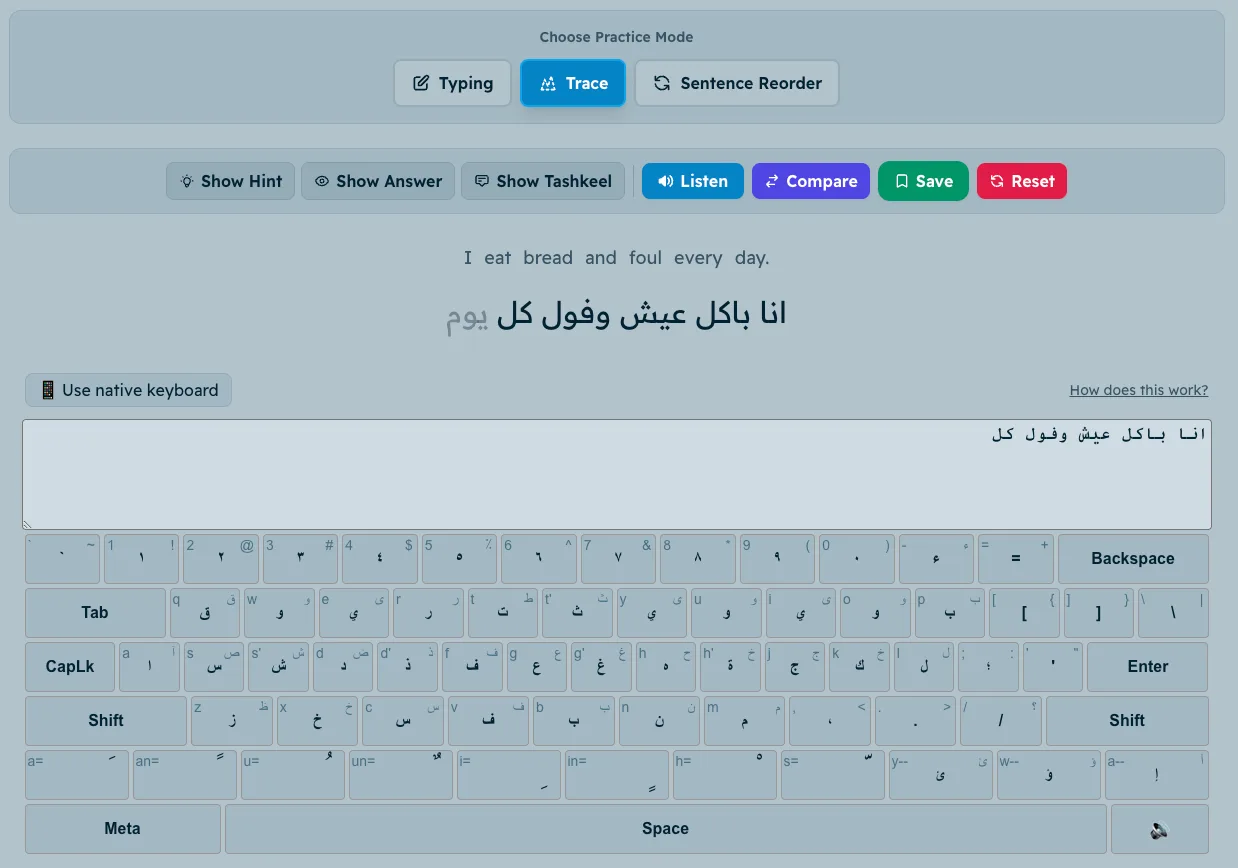
Type full sentences on a built-in Arabic keyboard, put scrambled words back in order, or trace them letter by letter. Practice sentences are made for your level and the grammar you want to drill.
Choose what you drill
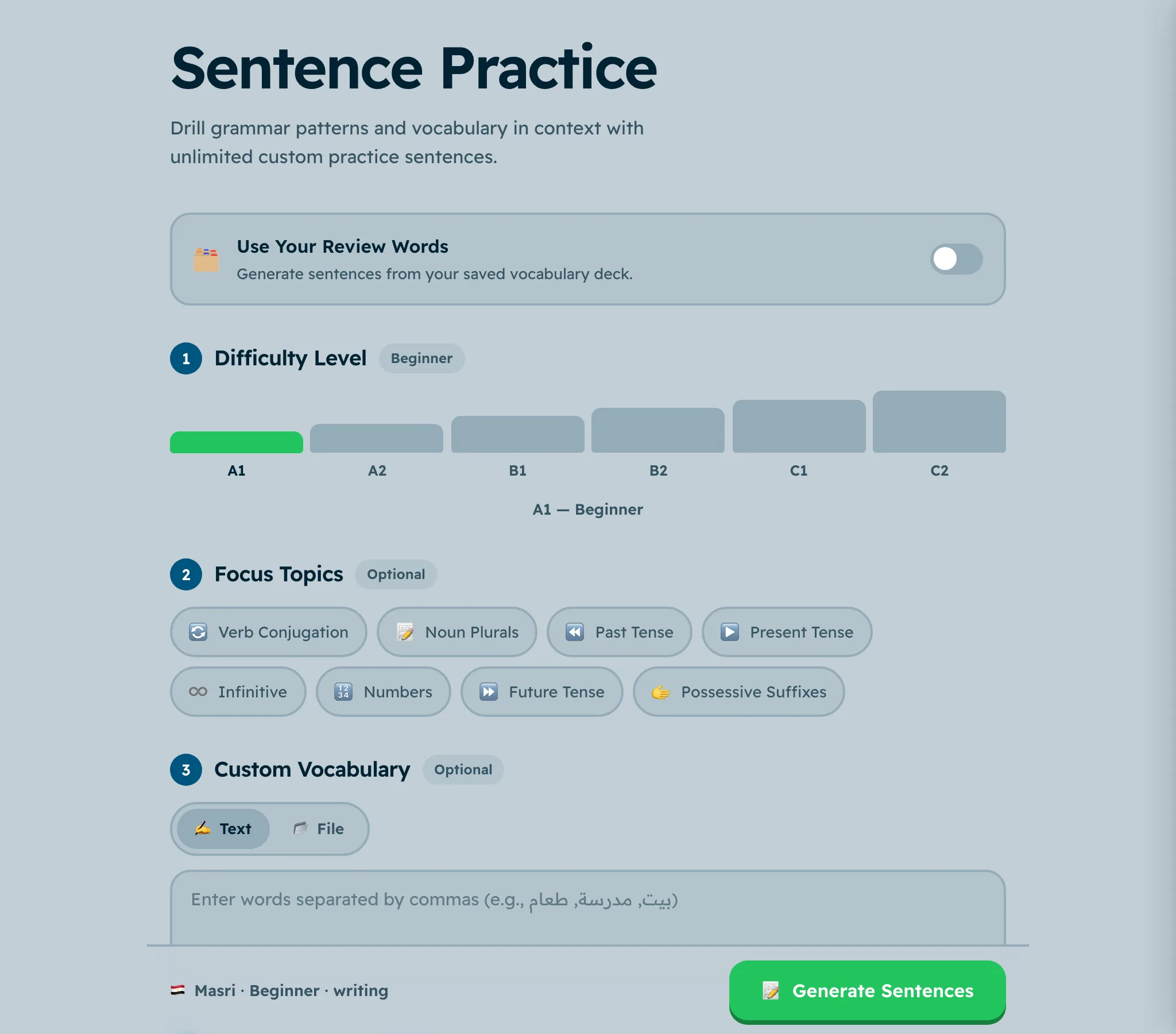
Pick a level from A1 to C2 and a focus like verb conjugation, plurals, the future tense or possessive suffixes. Add your own vocabulary, or use the words from your review deck.
No Arabic keyboard needed
The on-screen keyboard shows every letter, so you can write Arabic on any computer. Trace mode walks you through a sentence letter by letter while you learn the layout.
Writing or multiple choice
Type the answer out yourself, or switch to a multiple-choice quiz when you want a quicker round.
Common questions
Can I practice if I cannot read Arabic yet?
Start with the alphabet first. Once you know the letters, trace mode is a gentle way into writing whole words.
Do I need to install an Arabic keyboard?
No. The built-in keyboard works in the browser on any device.
Which dialects are the sentences in?
Egyptian Arabic, Levantine Arabic, Moroccan Darija and Modern Standard Arabic.
Try it in your dialect
Egyptian, Levantine, Moroccan Darija or Modern Standard Arabic. Free to start, no card needed.
Explore more features
- Conversation Practice Hold spoken conversations in your dialect and get corrected as you go.
- Stories Graded stories in your dialect with translation and audio.
- Tap to Translate Meaning in context, pronunciation and dialect forms for any word.
- Structured Lessons A step-by-step learning path in your dialect, A1 to C2.
- Spaced Repetition Saved words come back right before you would forget them.
- Pronunciation Say a sentence out loud and see how close you were.
- Verb Conjugation Drill past, present and future until the forms are automatic.
- Dialect Comparison One word in Egyptian, Levantine, Darija and Fusha at once.
- Import Words Paste a list or upload a CSV, and the rest is filled in.
- Word Bank Every saved word in one table, with its review status.
- Games Word scramble, odd one out and more, in four dialects.
- Alphabet The 28 letters, their forms and sounds, with exercises.
- Anki Decks Download vocabulary decks for every dialect.